

Wings 3D 2.4
A wide range of modeling tools and a built-in AutoUV mapping facility
Program info
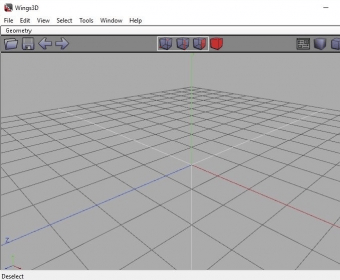
Wings 3D is a program for modeling and texturing of elements created with a low number of polygons.
When we open the program we can see that two windows opening at the same time one is the program and the other is a window call Erlang, the program is based in this language. The program shows a Menu bar, a toolbar and a window.
We can open, save, import this formats (ndo, 3ds, fbx, eps, iwo, ixo, obj, pov, rwx, stl, wrl and x) and we can export the same formats too. We can import an image, render with OpenGL or POV-Ray or install different plug-ins.
By clicking the Edit button we can select the preferences of the program, handle the plug-in manager or select the plug-in preferences.
The View button we can use for changing the ground plane, axes, workmode, clipping planes, wireframe, and more. In the select we can handle the edge loop, adjacent, lights, all objects, inverse, hide select or unselected, store or recall a selection and a group.
With the tools button we can align, center, set defaults axis, take screenshots of the same window that we are working, put on ground, unitize, connect and more.
With this program we can create 3D designs in few steps, is very easy to use.
Pros
- Can import this formats (ndo, 3ds, fbx, eps, iwo, ixo, obj, pov, rwx, stl, wrl and x) and we can export the same formats too
- Can import an image, render with OpenGL or POV-Ray or install different plug-ins
Cons
- Has no disadvantages
Details
Extensions

No information available
The data will be available later.



Comments